






 2:10
Tailgate with gas springs
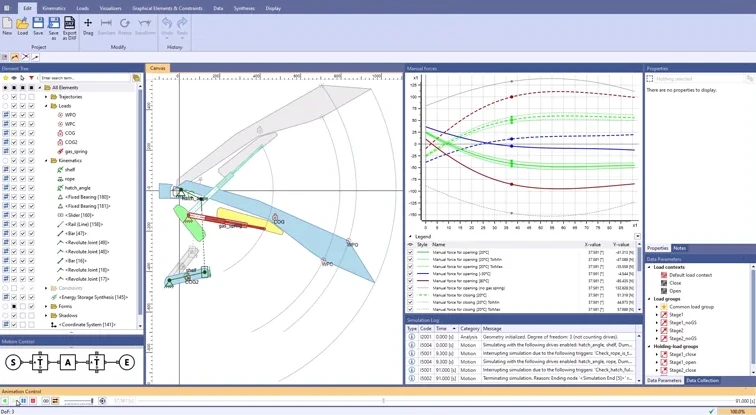
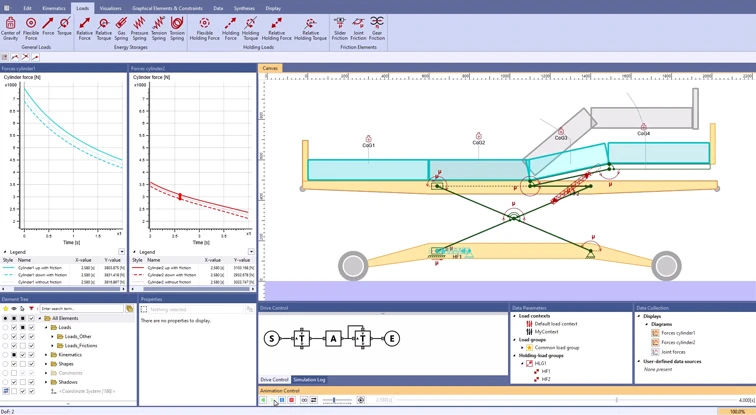
Two gas springs whose force depends on temperature and direction of motion, plus a parcel shelf on a cord. ASOM shows all manual forces for opening and closing in one diagram.
A scenario combines everything that acts at the same time: a car on a slope, snow on the tailgate, −30 °C and much more. You create as many scenarios as you need, and ASOM calculates all of them at once. You see every change to joints, gas springs or drives immediately – in every scenario.

ASOM with the kinematics of a car seat: model with constraints, torque at the pinion for different seat-occupancy load cases and a graphically programmed motion sequence.
ASOM does that for you. The software locks in what is already right and shows you the complete motion sequence immediately with every change. This keeps complexity manageable.
Syntheses lock in what you specify: positions, holding forces, springs. You change the geometry – your requirements are still met.
Motion, trajectories, diagrams, forces and torques are recalculated in real time, even while you drag a joint with the mouse.
Inclination, temperature, additional loads, tolerances or drive variants: all scenarios appear together in the same diagram.
This is what real time feels like: move the joints of this four-bar linkage with your mouse or finger. Coupler curve, transmission angle and diagram are recalculated with every movement.
Drag A₀, B₀, A, B or K
Want to see everything ASOM can do? In an online demo, we show you ASOM using an example from your field.
Request an online demoBuild the model, design the linkage, calculate forces and torques, control motion sequences and present results – all in one software package for planar kinematics.
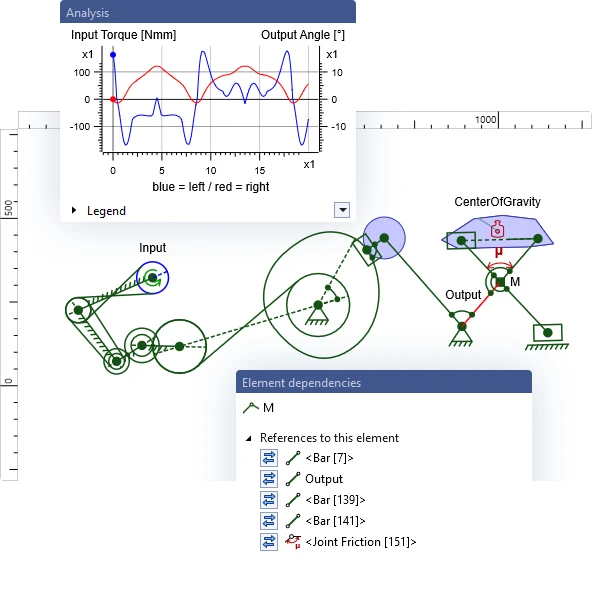
You build the model from the building blocks of planar kinematics – in mechanisms with any number of degrees of freedom. You import the installation space from a DXF drawing or an image.
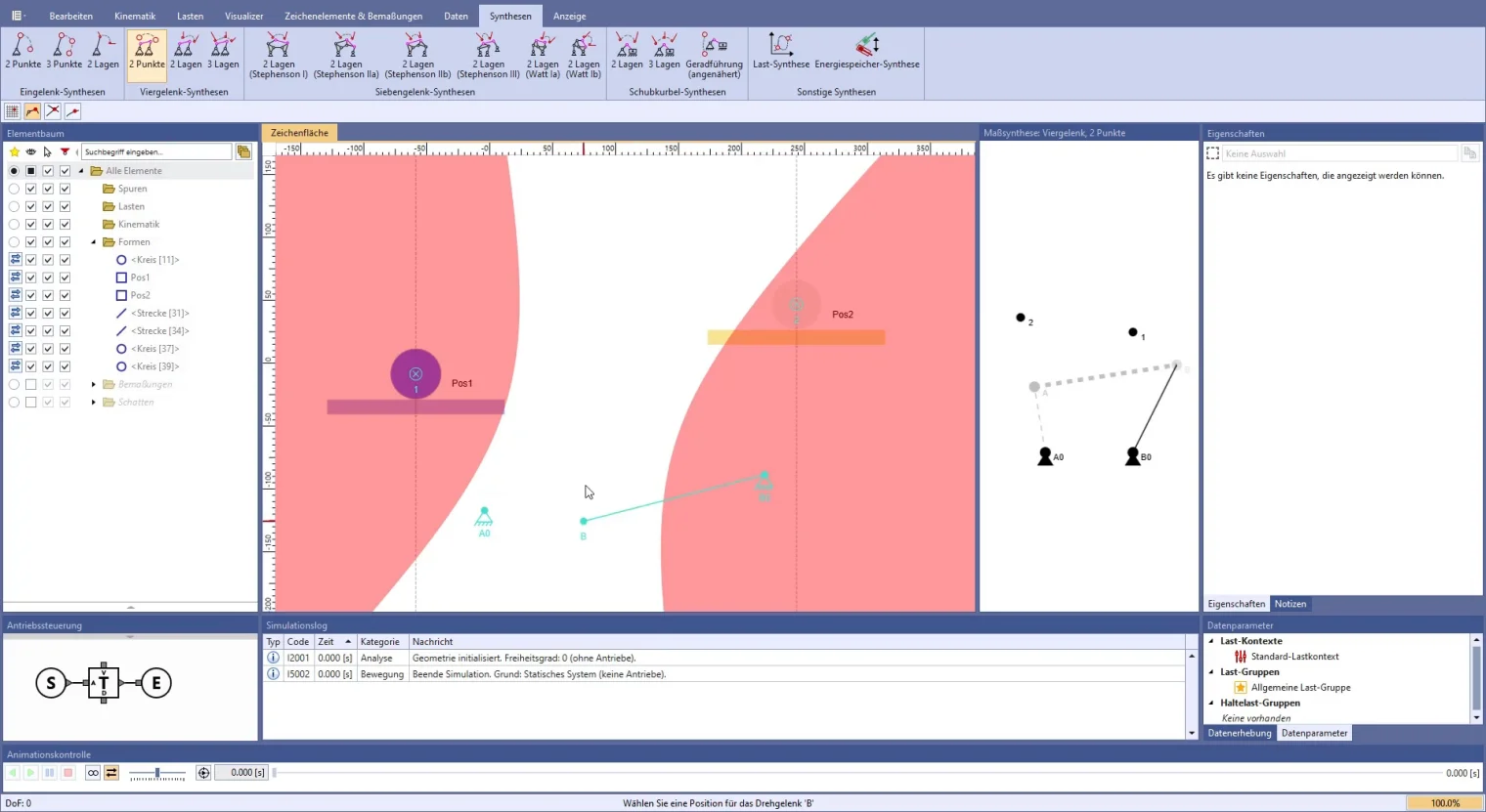
Define where a part needs to go. ASOM shows where solutions exist, creates a suitable linkage and keeps your requirements in place while you continue to optimize.
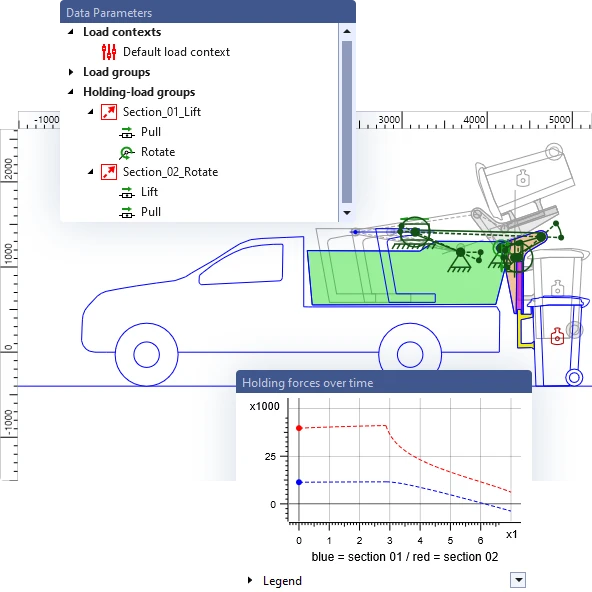
Manual forces, drive forces and torques as well as joint forces for every position – calculated kinetostatically, with springs, gas springs, friction and inertia.
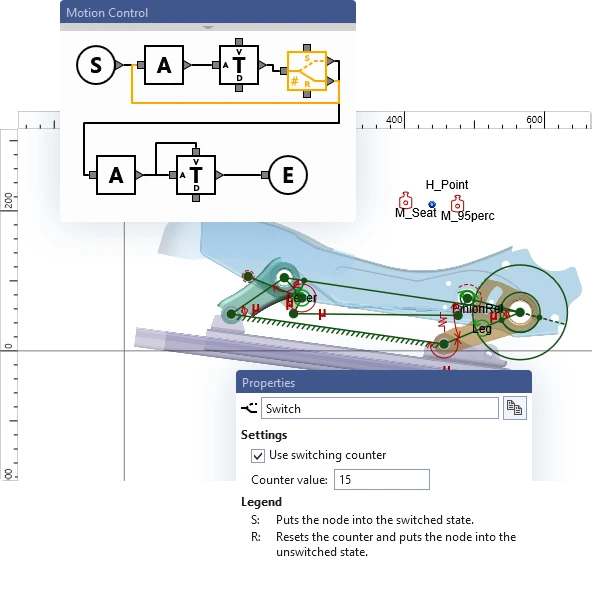
In the advanced drive control, you assemble the motion from blocks: partial movements run in parallel, wait for events or branch into alternative motion sequences.
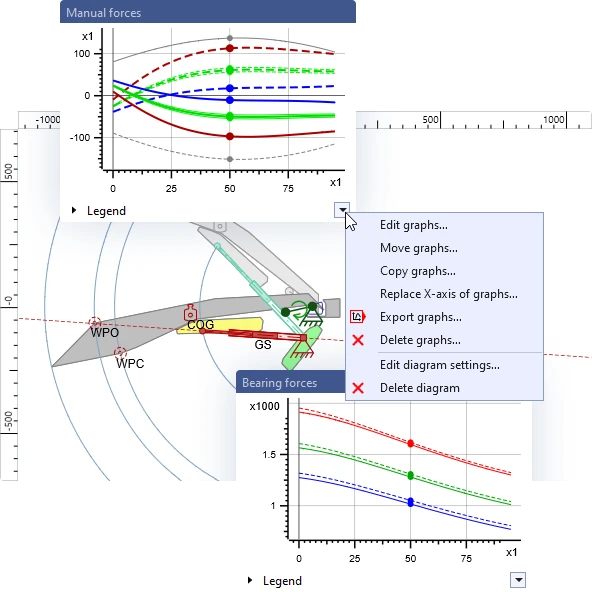
Trajectories, positions and forces on the canvas, as many diagrams as you need – all in real time and ready to present.
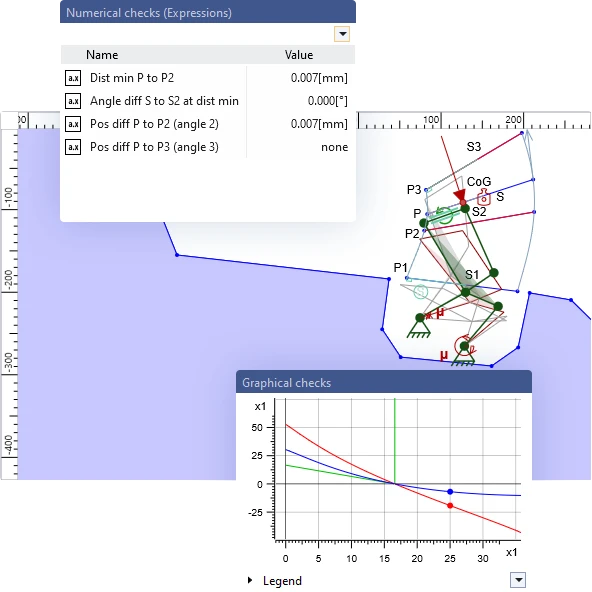
With the scripting language, you extend ASOM with your own calculations and checks; your knowledge stays in your project. Via the COM interface, you control ASOM from your own programs.
Seat adjustment, tailgate or hospital bed: ASOM and ASOMmini are used wherever joints, springs and drives work together.
2:10
Two gas springs whose force depends on temperature and direction of motion, plus a parcel shelf on a cord. ASOM shows all manual forces for opening and closing in one diagram.
 2:41
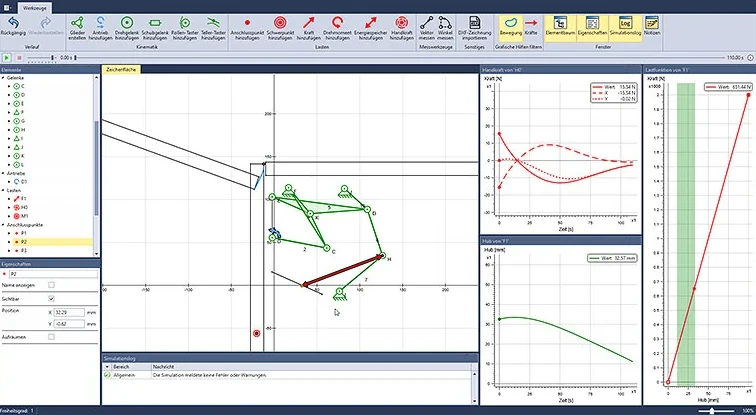
Set the tension springs on a six-bar hinge so that a 2–8 kg flap opens by itself from about 15–20°. ASOMmini shows the manual force curve, and you find the right attachment point in the model.
 3:13
Two drives that model spindle drives adjust the height and the foot section. ASOM calculates drive and bearing forces in real time, with friction in all joints and guides.
You will find more examples from the automotive, furniture and mechanical engineering industries, as well as videos on the basics, in our example gallery.
View all examplesWith both, you design planar multi-bar linkages and see the complete motion sequence, including forces and torques, immediately after every change. The difference lies in the range of features.
 for complex concepts
Kinematics software for conceptual design: from the parametric model through synthesis to automated variant analysis.
 for a quick start
The quick way into kinematics – ideal when you need reliable results in a short time.
ASOM: Basic training with a three-month evaluation, flat rate for all participants. ASOMmini: first license year including a personal introduction.
€995ASOM
€395ASOMmini
Single-seat
€595ASOMmini
Network
The introductory terms apply to companies that have not obtained an ASOM or ASOMmini license in the last three years, including through an affiliated company. They apply once per company and to orders placed by 31 March 2027. All prices are net, plus statutory VAT. Subject to our Terms and Conditions.
Behind ASOM is a team: people who solve kinematic tasks themselves. You benefit from this in training, consulting and development.
Three-day basic training, two-day advanced training including the scripting system, workshops and training on the job – at your premises, at our premises in Wuppertal or online.
Our training coursesWe analyze your workflows for kinematic tasks, identify bottlenecks and show you ways to reach better solutions faster.
Our consulting servicesIf onboarding does not fit into your schedule, we solve your kinematic task with ASOM for you.
Our development servicesMany of our customers have worked with ASOM for years – from automakers to furniture fittings manufacturers.
View referencesWe present ASOM in a no-obligation online meeting, ideally using an example from your field, and answer your questions directly.
A direct contact person from day one. ASOMmini does not require any training: every license comes with a personal introduction.
info-key GmbH & Co. KG
Wuppertal, Germany