
Syntheses for existing linkages
You can now also attach a multi-bar synthesis to an existing linkage, even if it is only part of a larger system. This lets you improve existing designs instead of starting over.
In conceptual design, you specify where a part should move. ASOMv10 creates a suitable linkage, keeps your requirements in place while you optimize and shows every change immediately in the motion and the force curve.








Used in: Automotive OEMs and suppliers · Furniture and fittings · Window and door technology · Medical technology · Aviation · Mechanical engineering and energy technology
Kinematic tasks often take months because even small changes throw the entire concept into disarray. ASOMv10 locks in what is already right – so even complex tasks remain manageable.
Syntheses create the linkage from your requirements – you no longer have to try out joint positions by hand.
Motion, diagrams and forces respond to every change in real time.
Manual and drive forces for every position and every load case.
Your own calculations with the scripting language, automation via the COM interface.
Motion and forces for all load cases are established before the first part is manufactured.
Your design rules are stored in the software as expressions and scripts and can be shared within your team.
ASOM runs locally on your computers, with no cloud. For activation, only license data is sent to our license server in Germany – and, if you wish, activation works entirely offline.
ASOM is developed in Germany. Training, consulting and support come directly from info-key – with 26 years of kinematics know-how.
Syntheses for existing linkages, imperial units, new exports and global constants for scripts – plus many small improvements that make everyday work easier.
You can now also attach a multi-bar synthesis to an existing linkage, even if it is only part of a larger system. This lets you improve existing designs instead of starting over.
ASOM displays values in either metric or imperial units – practical for international teams and customers. For some quantities, additional units are available to choose from.
Pure geometry as DXF for your CAD system, plus JSON and point lists. You can also save point trajectories directly to a file.
You manage values that you need in several scripts centrally in one table. As characteristic curves, they also control load functions and can be created directly from graphs, expressions or trajectories.
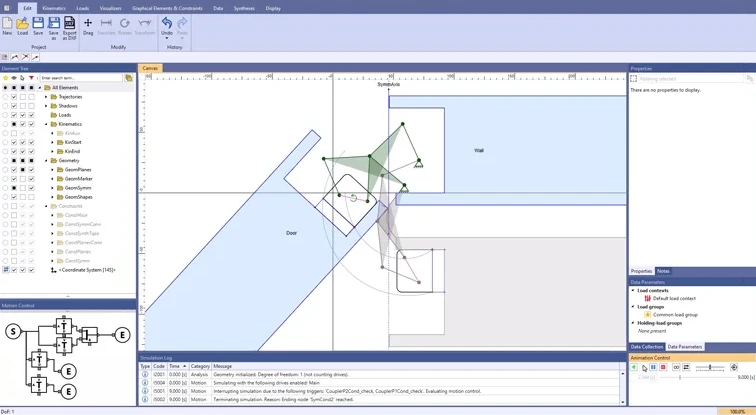
Define where a part needs to go – as points or as positions. From this, ASOM creates a suitable multi-bar linkage and keeps your requirements in place while you move joints and continue to optimize.
 3:35
Symmetrical six-bar linkage for a door
3:35
Symmetrical six-bar linkage for a door
For every position, ASOM calculates the manual or drive force your mechanism needs – with springs, gas springs, friction and inertia.
Forces are calculated kinetostatically.
Video: Tailgate with gas springs (2:10)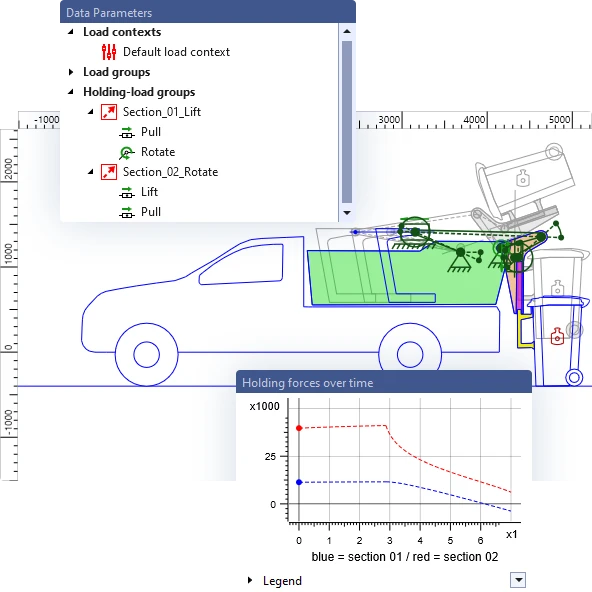
In the advanced drive control, you assemble the motion from blocks – including asynchronous partial movements, loops and alternative motion sequences for the same linkage.
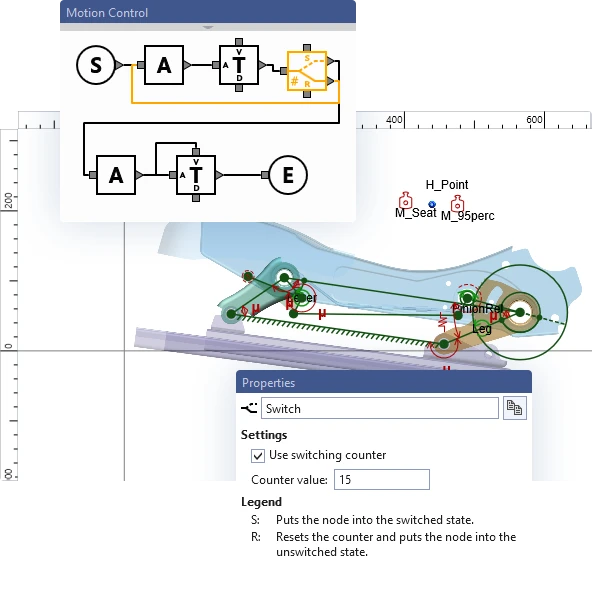
Attach sketches and images to the moving parts, and your model becomes a vivid presentation – played back in real time or even faster.
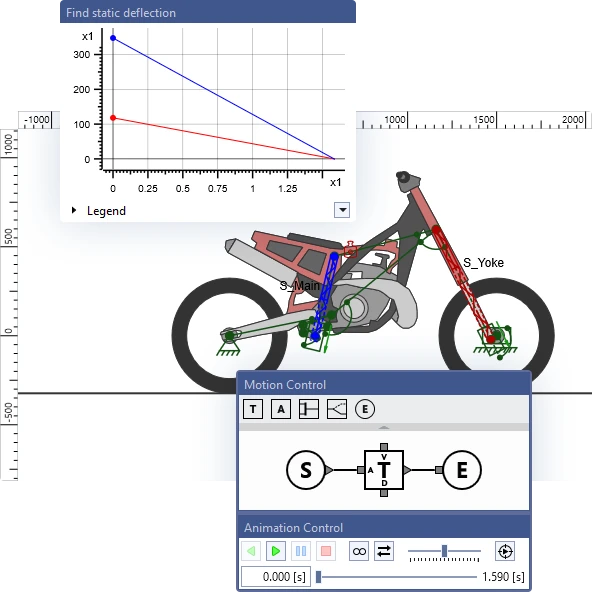
With the scripting language, you capture your own know-how in ASOM: you create your own calculations as expressions, plus load functions and data sources based on your rules. Via the COM interface, you integrate ASOM into your engineering tools.
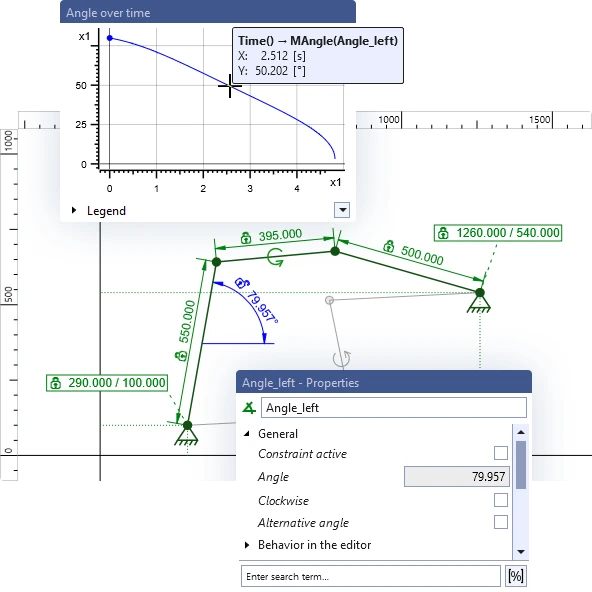
You define positions, angles, distances and lengths as constraints. Change something in the model, and the rest adapts accordingly.
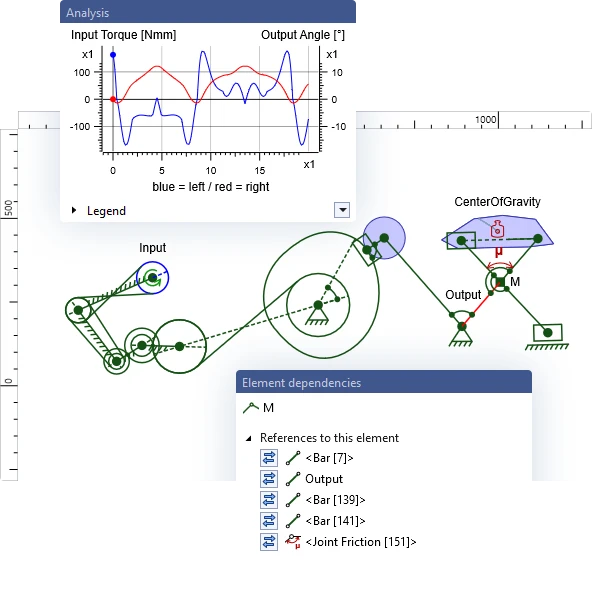
Gear pairs, belt transmissions, racks and spline rails for curved guides – combined into mechanisms with any number of degrees of freedom.
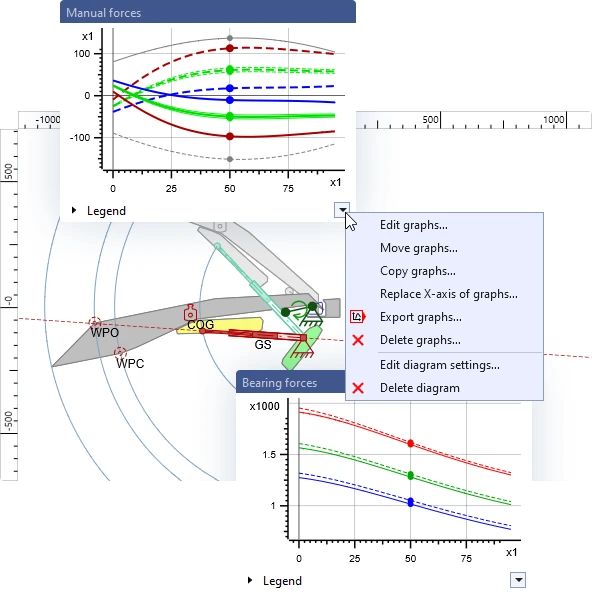
Any number of diagrams with any number of graphs. Graphs can be copied, moved and exported as Excel or text files.
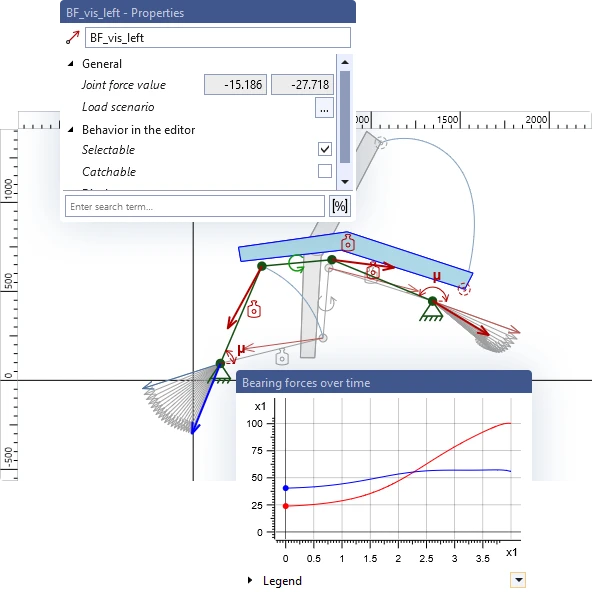
Joint forces appear as arrows on the mechanism, also for comparing several load cases. Plus trajectories, the instantaneous center and the fixed and moving centrodes.
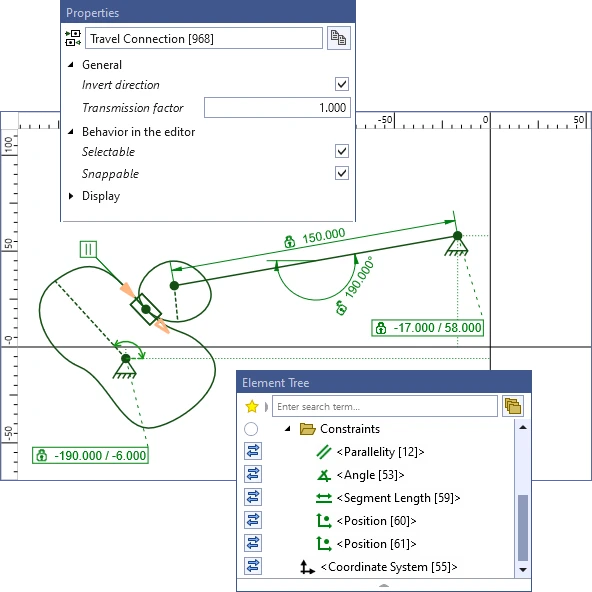
Spline rails reproduce curved contours, including closed ones – for example on cam plates and curved guides. With a travel connection, two contours roll on each other.
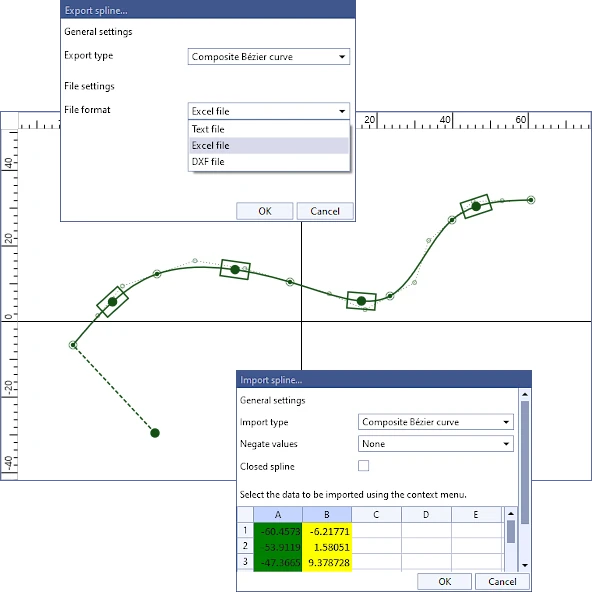
You save spline rails as text, Excel or DXF files and read them back into other projects. The complete geometry goes to your CAD as DXF.
See in just a few minutes how ASOMv10 solves typical real-world tasks.
 1:40
1:40
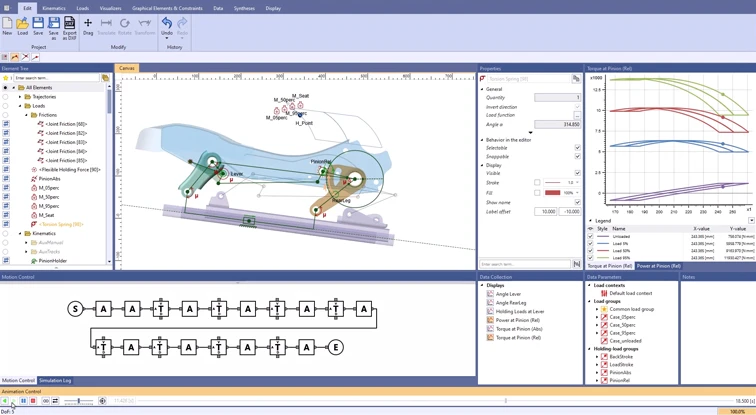
An electric motor moves the seat to all extreme positions. ASOMv10 shows torque and power for different seat occupancies – and immediately what difference a torsion spring makes.
 3:13
3:13
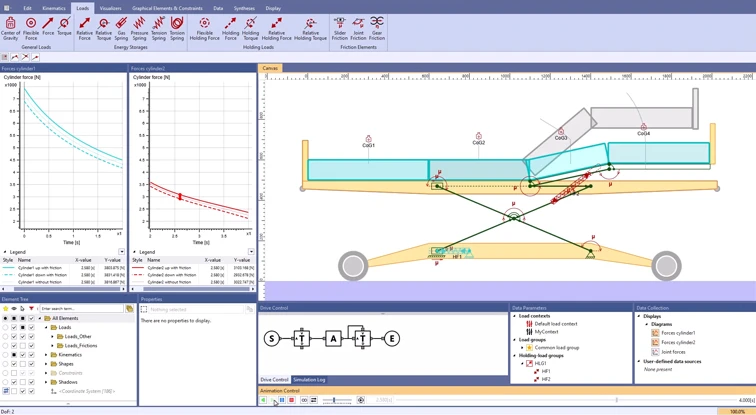
Two drives that model spindle drives adjust the height and the foot section. ASOMv10 calculates drive and bearing forces in real time, with friction in all joints and guides.
 4:18
4:18
How much force does friction cost? With a pin diameter and a friction coefficient for each joint, you compare manual and joint forces with and without friction.
You will find more examples from the automotive, furniture, aviation and mechanical engineering industries in our example overview.
View all examplesYou have a direct contact person from the very start – from the online demo to your own license.
You request an appointment for an online demo – without obligation.
We show you ASOM live and answer your questions, ideally using a task from your field.
You book the three-day basic training and try out ASOM for three months in your own projects.
After the evaluation, you decide whether to purchase a license.
For one fixed workstation.
For teams: usable simultaneously by the agreed number of users, on different computers in your network.
We present ASOMv10 to you in an online meeting without obligation, ideally using an example from your field, and answer your questions directly.
