







Design
You set the goal. ASOM finds the linkage.
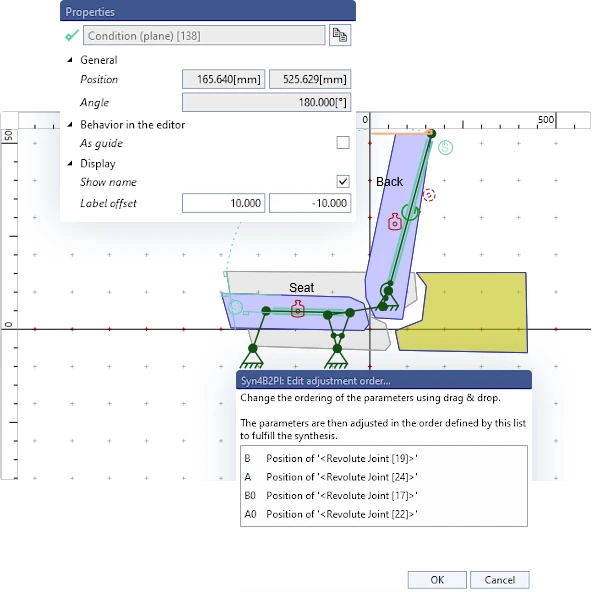
Define where a part needs to go. ASOM creates a suitable linkage and maintains your requirements while you continue to optimize.
More on synthesesA scenario combines everything that acts at the same time: a car on a slope, snow on the tailgate, −30 °C and much more. You create as many scenarios as you need, and ASOM calculates all of them at once. You see every change to joints, gas springs or drives immediately – in every scenario.
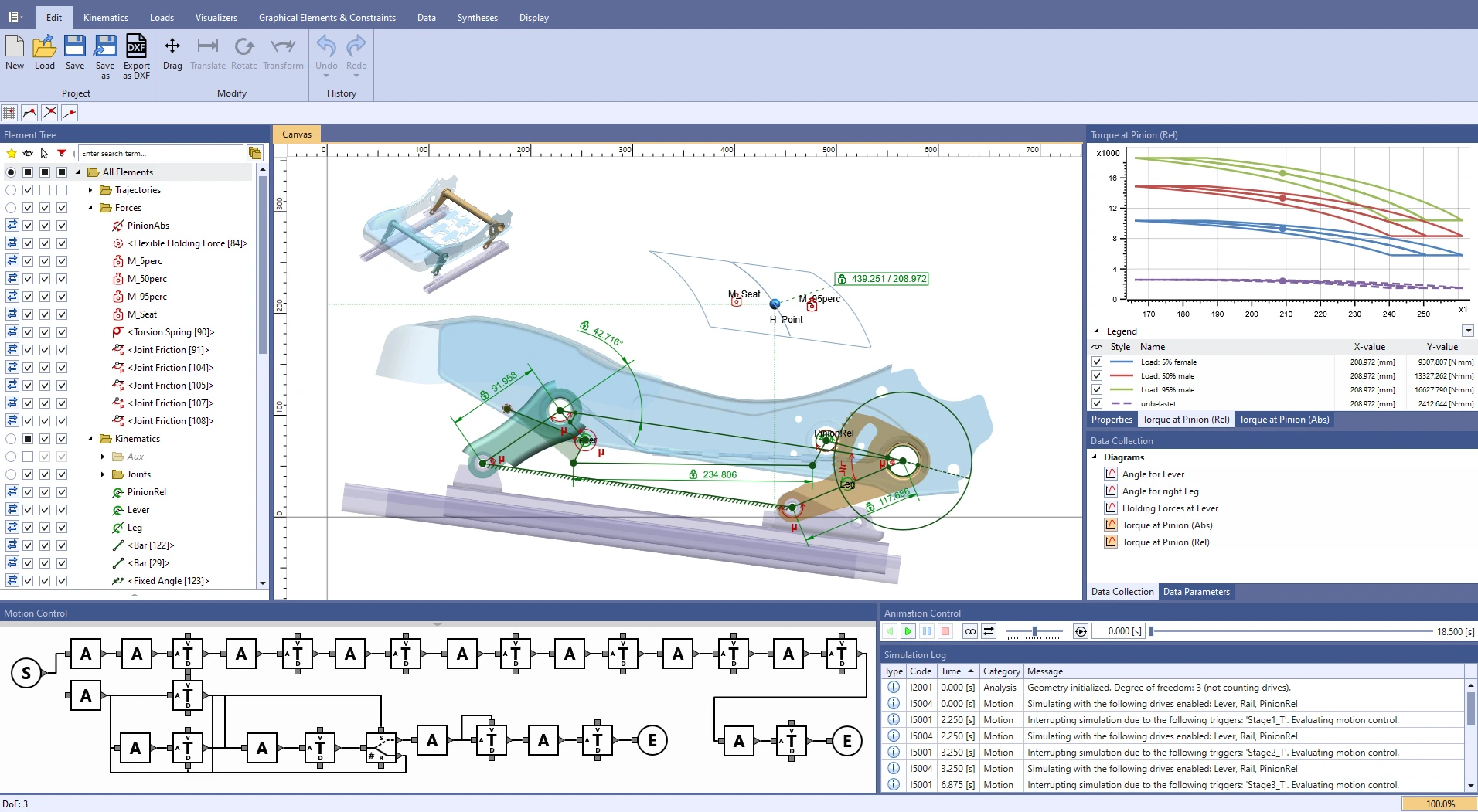
ASOMv10 with the kinematics of a car seat: model with constraints, torque at the pinion for four seat-occupancy load cases and a graphically programmed motion sequence.
Kinematic tasks can be real time sinks. Even small changes affect end positions, mounting zones and forces. Add springs, gas springs, friction and tolerances, and it often takes months to find a viable solution.
ASOM takes a different approach: the software maintains what is already right and shows you the complete motion sequence immediately with every change. This keeps complexity manageable – from the first draft to the final decision.
Syntheses maintain what you specify: positions, holding forces, springs. You change the geometry – your requirements remain fulfilled.
Motion, trajectories, diagrams and forces are recalculated in real time, even while you drag a joint with the mouse.
Each scenario combines what you need: inclination, temperature, additional loads such as snow, spring and gas spring variants, tolerances, drive variants, opening or closing, with or without friction – and much more. All scenarios appear together in the same diagram.
This is what real time feels like: move the joints of this four-bar linkage with your mouse or finger. Coupler curve, transmission angle and diagram are recalculated with every movement.
Drag A₀, B₀, A, B or K
Want to see all of ASOM? In an online demo, we show you ASOM using an example from your field.
Request an online demoBuild the model, design the linkage, calculate forces, control motion sequences and present results – all in one software for planar kinematics.
Define where a part needs to go. ASOM creates a suitable linkage and maintains your requirements while you continue to optimize.
More on syntheses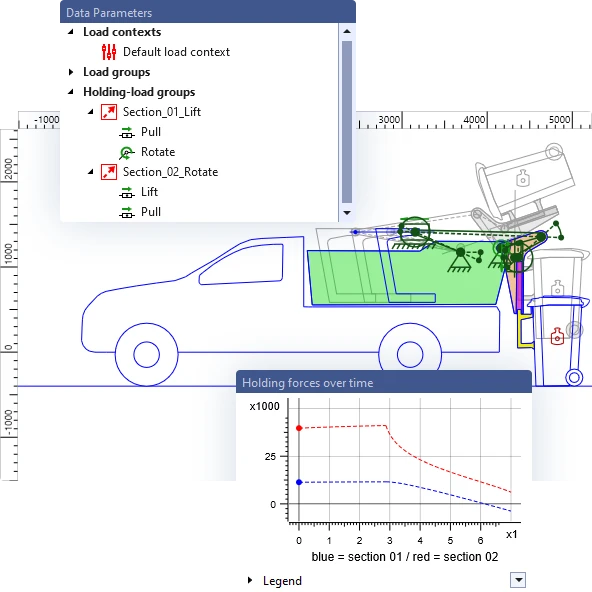
Manual, drive and joint forces for every position, with springs, gas springs, friction and inertia. All scenarios appear in the same diagram.
More on force calculationGears, belt transmissions, curved guides and contours – in linkages with any degree of freedom. You import mounting zones from DXF files or images.
More on modelingPartial movements run in parallel, wait for events or branch into alternative motion sequences.
More on drive controlTrajectories, positions and forces on the canvas, as many diagrams as you need – all in real time and ready to present.
More on evaluationYour own calculations with the scripting language, drawings from CAD, results to Excel and automation via COM.
More on scripts and COMSeat adjustment, tailgate or hospital bed: ASOM is used wherever joints, springs and drives work together. Take a look at some examples.
 2:29
2:29
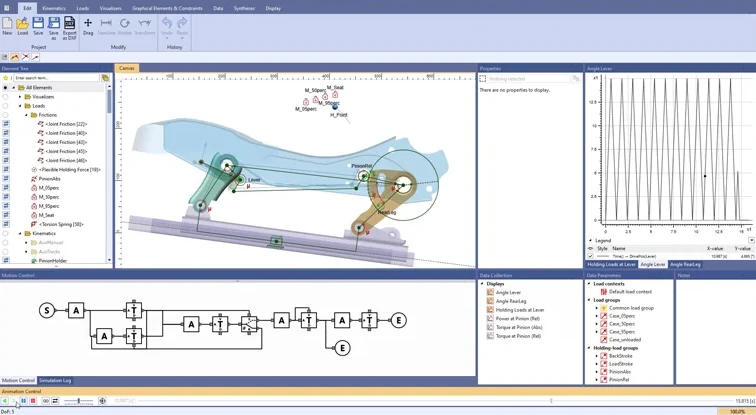
A hand lever adjusts the seat stroke by stroke. ASOMv10 plays back the strokes automatically and shows the manual force for four seat occupancies in one diagram.
 2:41
2:41
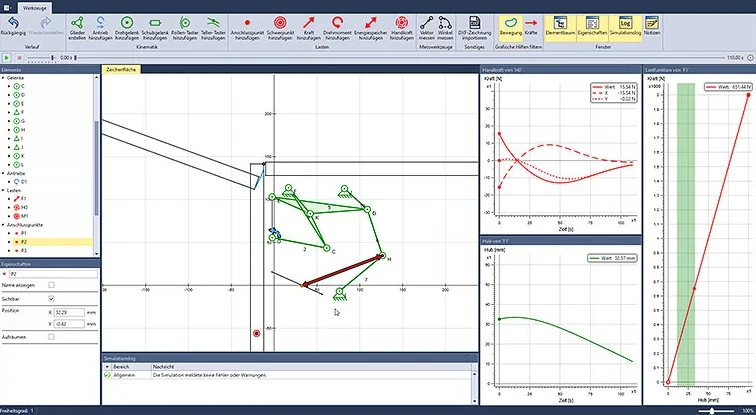
Set the tension springs on a six-bar hinge so that a 2–8 kg flap opens by itself from about 15–20°. ASOMmini shows the manual force curve.
 3:13
3:13
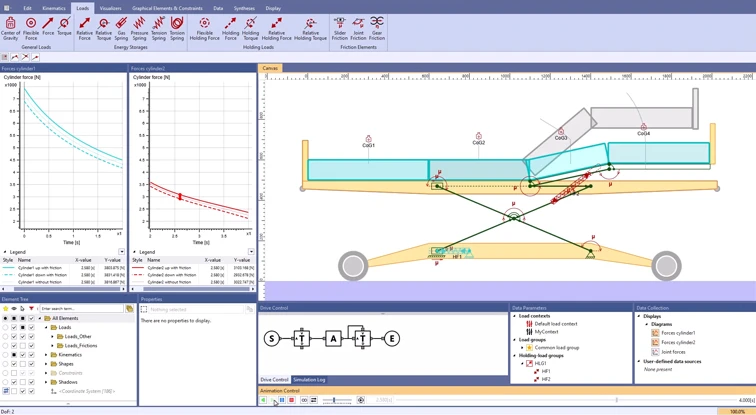
Two drives that model spindle drives adjust the height and the foot section. ASOMv10 calculates drive and bearing forces in real time, with friction in all joints and guides.
 2:10
2:10
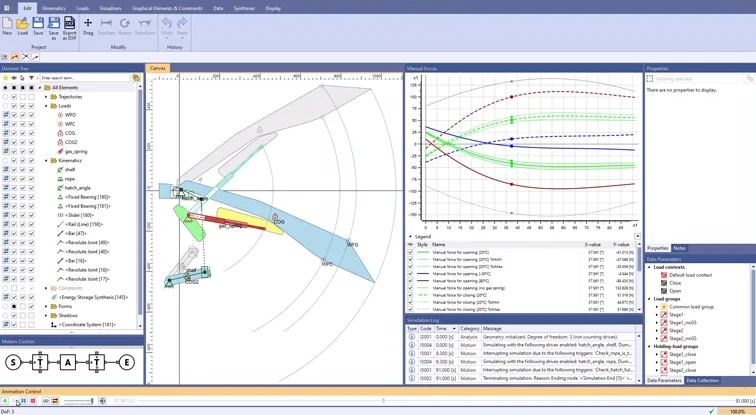
Two gas springs whose force depends on temperature and direction, plus a parcel shelf on a cord. ASOMv10 shows all manual forces for opening and closing in one diagram.
 1:24
1:24
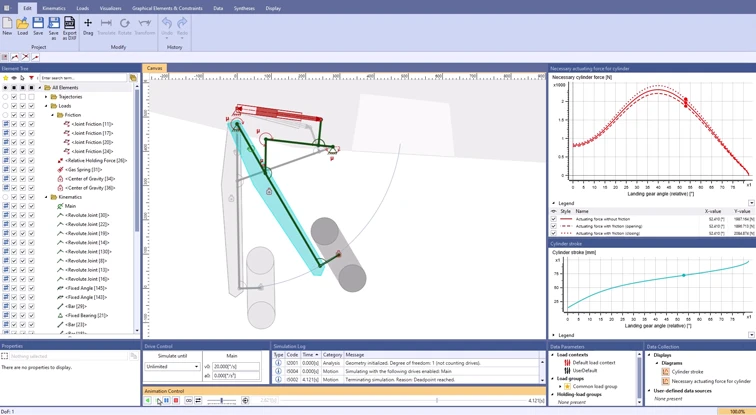
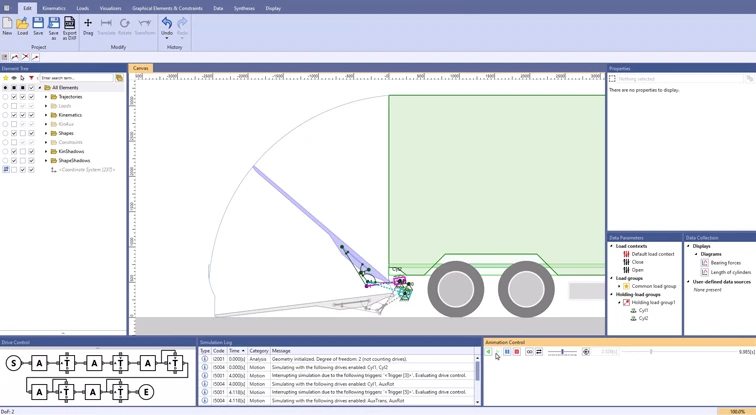
How much does friction change the cylinder force during deployment and retraction? ASOMv10 takes joint friction into account and compares the cylinder force with and without friction.
 3:03
3:03
Two hydraulic cylinders open the gate and raise and lower the platform. ASOMv10 combines the partial movements into one motion sequence and calculates the bearing forces with friction.
You will find more examples from the automotive, furniture and mechanical engineering industries, as well as videos on the basics, in our example overview.
View all examplesThe principle is the same for both: you design planar multi-bar linkages and see the complete motion sequence, including forces, immediately after every change. The difference lies in the range of functions.
 ASOMv10 · for complex concepts
Kinematics software for complex concepts: from the parametric model through synthesis to automated variant analysis.
 for a quick start
The quick way into kinematics – ideal when you need reliable results in a short time.
Behind ASOM is a team that solves kinematic tasks itself. You benefit from this in training, consulting and development.
Three-day basic training, two-day advanced training on the scripting system, workshops and training on the job – at your premises, at our premises in Wuppertal or online.
Our training coursesWe analyze your workflows for kinematic tasks, identify bottlenecks and show you ways to reach better solutions faster.
Our consultingIf onboarding does not fit into your schedule, we solve your kinematic task with ASOM for you.
Our development servicesMany of our customers have worked with ASOM for years and value the fact that the software is backed by experts who solve kinematic tasks themselves.
View referencesInstead of an anonymous download, we support you from the very start. You have a direct contact person and try out ASOM in your own projects.
You request an appointment for an online demo – without obligation.
We show you ASOM live and answer your questions, ideally using a task from your field.
You book the three-day basic training and try out ASOM for three months in your own projects.
After the evaluation, you decide whether to purchase a license.
We present ASOM to you in an online meeting without obligation, ideally using an example from your field, and answer your questions directly.
info-key GmbH & Co. KG
Wuppertal, Germany